
Download Screen Capture Elite – Fast, Free Firefox Screenshot Tool
Overview
Screen Capture Elite is a lightweight Firefox add‑on designed for anyone who needs to snap web pages quickly and accurately. Whether you’re a web developer documenting layout bugs, a content creator gathering reference images, or simply a power user who wants to keep a visual record of a webpage, this extension delivers a full suite of capture modes without the bloat of a separate desktop program. The add‑on works natively inside Firefox 4 and newer, letting you capture a selected region, the currently visible portion of the page, the entire browser window (including toolbars), or the whole page from top to bottom—even the parts that only appear after scrolling.
Its intuitive toolbar icon and customizable keyboard shortcuts mean you can start a capture in seconds, while an extensive configuration menu lets you fine‑tune default file formats, naming conventions, and selection colors. The developer has also bundled a clear, step‑by‑step guide, making the learning curve virtually nonexistent. While the transition to Firefox 4 removed the traditional status bar, Screen Capture Elite adapts by letting you place its icon on the main toolbar, ensuring uninterrupted access.
Overall, this free and secure add‑on offers a reliable way to generate high‑quality screenshots directly from the browser, eliminating the need for third‑party screen‑capture utilities.
Key Features & How It Works
- Capture Selected Area – Drag to choose any portion of the page and save it instantly.
- Visible Page Capture – Grab exactly what you see on screen, including the address bar and tabs.
- Full Window Capture – Include browser toolbars, bookmarks bar, and status bar in a single image.
- Full‑Page Capture – Seamlessly stitch together the entire page, even the hidden sections below the fold.
- Customizable Hotkeys – Assign your own keyboard shortcuts for each capture mode.
- Configurable Output – Choose between PNG, JPEG, or GIF, set image quality, and define automatic naming patterns.
- Selection Color Options – Pick the border and overlay colors that appear while selecting an area.
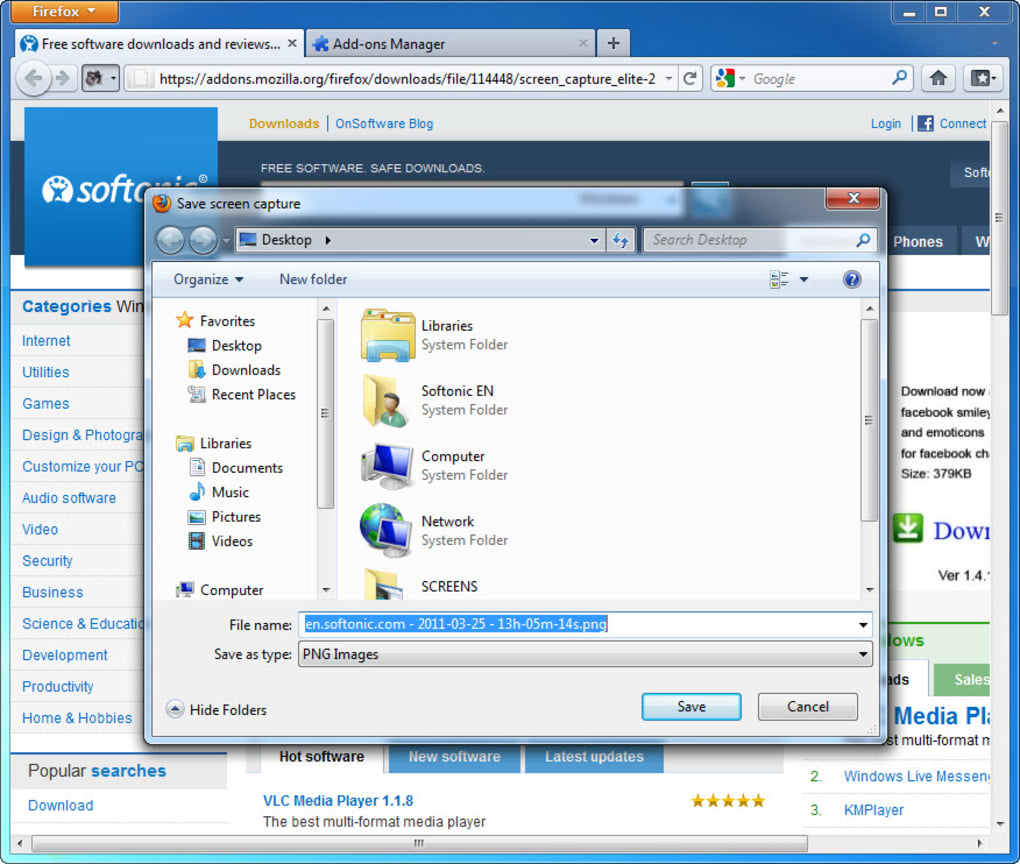
- Automatic Save Location – Define a default folder so screenshots are saved without prompting.
- Support for Multiple Screens – Works on dual‑monitor setups without cropping issues.
- Free & Open Source – No hidden fees, no registration, and regular updates from the developer.
Using Screen Capture Elite in Everyday Scenarios
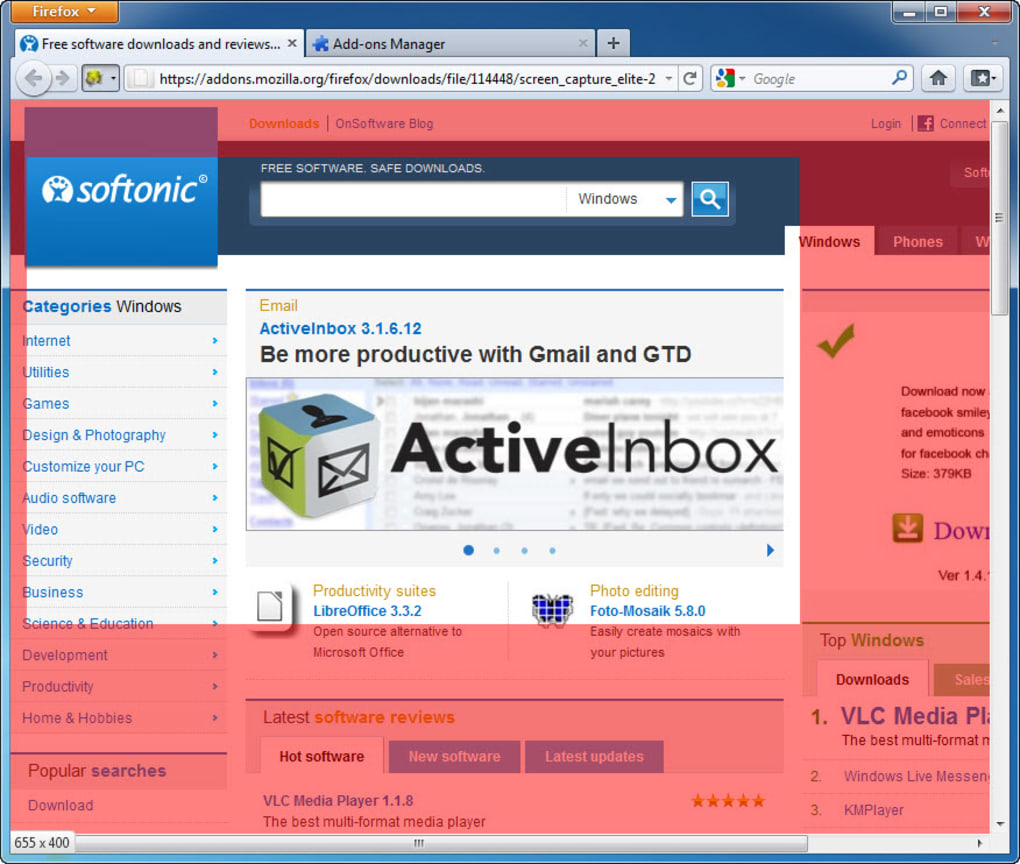
Once the add‑on is installed, an icon appears on Firefox’s toolbar. Clicking the icon opens a small menu where you can select the desired capture mode. For power users, the real magic lies in the hotkey support: by default, Ctrl + Shift + S starts a full‑page capture, while Ctrl + Shift + A lets you draw a custom rectangle. After you trigger a capture, the extension briefly overlays a semi‑transparent shade to indicate the area being recorded. When the capture finishes, the image is automatically saved to your preset folder and a notification pops up with a quick “Open” button.
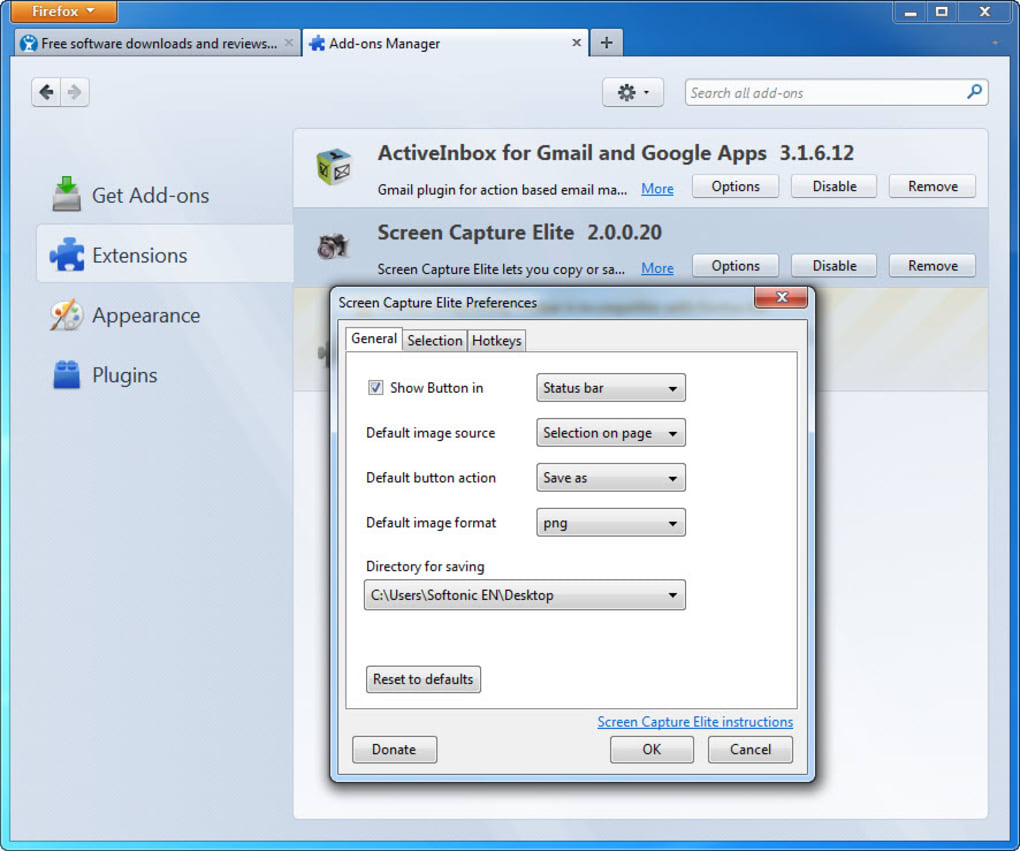
The configuration dialog, accessed via the right‑click menu on the toolbar icon, offers granular control. Here you can change the default file format, set a naming template that includes the page title and timestamp, and decide whether to copy the image to the clipboard instead of saving it to disk. Advanced users can also enable “scroll‑aware” stitching, which improves the quality of very long pages by capturing each segment individually before merging them.
Because Screen Capture Elite runs entirely within the browser, it respects the same security sandbox as other extensions. No external binaries are installed, and all image processing happens client‑side, ensuring that your screenshots remain private. The add‑on also receives regular updates that keep pace with Firefox’s rapid release cycle, meaning you can trust it to stay compatible with future versions.
Compatibility & System Requirements
Screen Capture Elite is built exclusively for Mozilla Firefox and supports all versions from Firefox 4 onward, including the latest ESR releases. Because it is a browser extension, it works on any operating system that can run Firefox—Windows 10/11, macOS 10.14 and newer, Linux distributions (Ubuntu, Fedora, Debian, etc.), and even Chrome‑OS devices that support Firefox. No additional software, drivers, or admin rights are required; the add‑on installs with a single click from the official Mozilla Add‑ons store.
For optimal performance, ensure that your Firefox browser is up to date; the extension leverages the browser’s native screenshot API, which receives performance improvements with each release. Users on older hardware (e.g., machines with less than 2 GB RAM) may notice a slight delay when capturing extremely long pages, but the processing remains lightweight compared to external screen‑capture programs. The extension also respects Firefox’s privacy settings—if you have disabled third‑party cookies or enabled strict tracking protection, Screen Capture Elite will still function because it does not rely on external web services.
Installation Steps
- Open Firefox and navigate to the Screen Capture Elite page on the Mozilla Add‑ons site.
- Click the “Add to Firefox” button and confirm the permissions request.
- After installation, the icon appears on the toolbar; if it does not, right‑click the toolbar, choose “Customize,” and drag the Screen Capture Elite icon onto the bar.
- Open the configuration menu by right‑clicking the icon to set your preferred hotkeys, image format, and default save location.
- Test the extension by pressing the default hotkey (Ctrl + Shift + S) or clicking the icon and selecting “Capture Full Page.”
The whole process takes less than a minute, and the add‑on immediately becomes available for all subsequent browsing sessions. If you ever need to remove it, simply go to Menu → Add‑ons → Extensions**, locate Screen Capture Elite, and click “Remove.”
Pros, Cons & Frequently Asked Questions
Pros
- Free and open‑source, with no hidden fees or ads.
- Multiple capture modes cover every typical screenshot need.
- Highly customizable hotkeys and output settings.
- Works directly inside Firefox, eliminating the need for external tools.
- Regular updates keep it compatible with the newest Firefox releases.
Cons
- Limited to Firefox; not available for Chrome, Edge, or Safari.
- Full‑page stitching can be slower on very long pages or low‑end hardware.
- The status‑bar placement issue in Firefox 4 requires manual toolbar configuration.
- No built‑in annotation tools; users must edit images in a separate program if needed.
FAQ
Can I capture a scrolling window that includes fixed‑position elements?
Yes. The “Full‑Page Capture” mode automatically scrolls the page, captures each segment, and merges them while preserving fixed‑position headers or footers.
Is there a way to copy the screenshot directly to the clipboard?
Absolutely. In the configuration panel, enable the “Copy to Clipboard” option. After a capture, the image will be placed on your clipboard for immediate pasting.
Does Screen Capture Elite work on private browsing windows?
Yes, the extension is active in private windows, but you must enable it manually in the add‑on’s permissions settings for privacy mode.
Can I change the default image format from PNG to JPEG?
You can. Open the configuration dialog, locate the “Output Format” dropdown, and select JPEG, PNG, or GIF according to your needs.
Is there any limit to the size of the page that can be captured?
The extension relies on Firefox’s internal rendering engine, so the only practical limit is the amount of RAM available. Very long pages may take a few seconds longer to process, but there is no hard size restriction.
Conclusion & Call to Action
In a landscape crowded with heavyweight screen‑capture suites, Screen Capture Elite stands out for its simplicity, speed, and deep integration with Firefox. The add‑on’s ability to snap everything from a tiny selected region to an entire scrolling page—all with a single click or keyboard shortcut—means you can stay focused on your work rather than wrestling with external programs. While it’s limited to Firefox and lacks built‑in annotation features, the free, open‑source nature of the tool, combined with its regular updates and strong community support, more than compensates for those minor drawbacks. Whether you’re documenting a bug, archiving a reference article, or creating visual content for a blog, Screen Capture Elite provides a secure, hassle‑free way to capture exactly what you need.
Ready to streamline your screenshot workflow? Download Screen Capture Elite now and start capturing web pages with confidence. Remember to configure your preferred hotkeys and output settings right after installation to get the most out of this powerful Firefox tool. Happy capturing!







